
How to Download & Install ClaimHub
Install the ClaimHub desktop app on your clinic PC — patient data stays 100% on your computer.
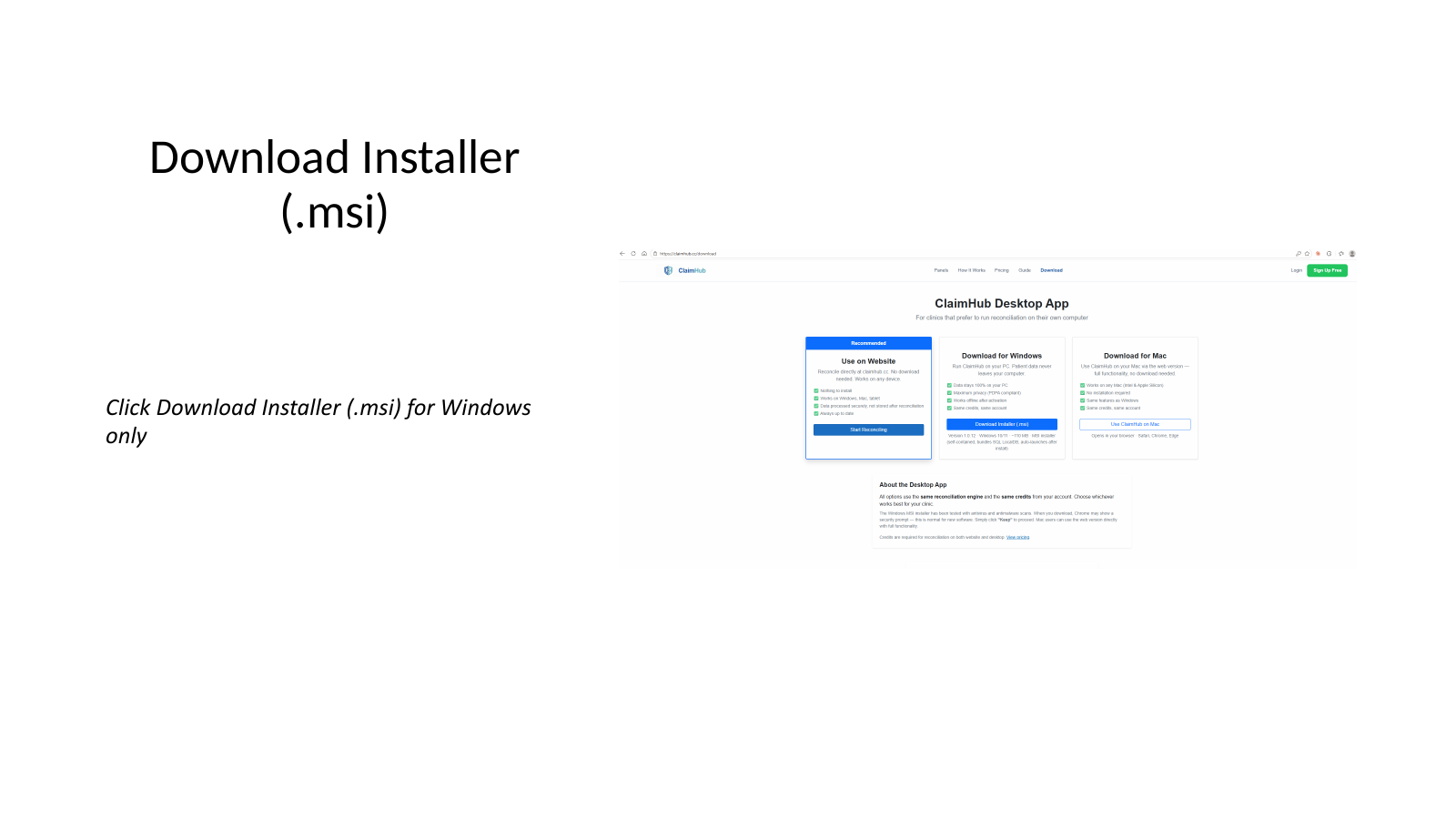
Click Download Installer (.msi) under the "Download for Windows" card. The file ClaimHub-Setup.msi (~110 MB) will download to your Downloads folder.
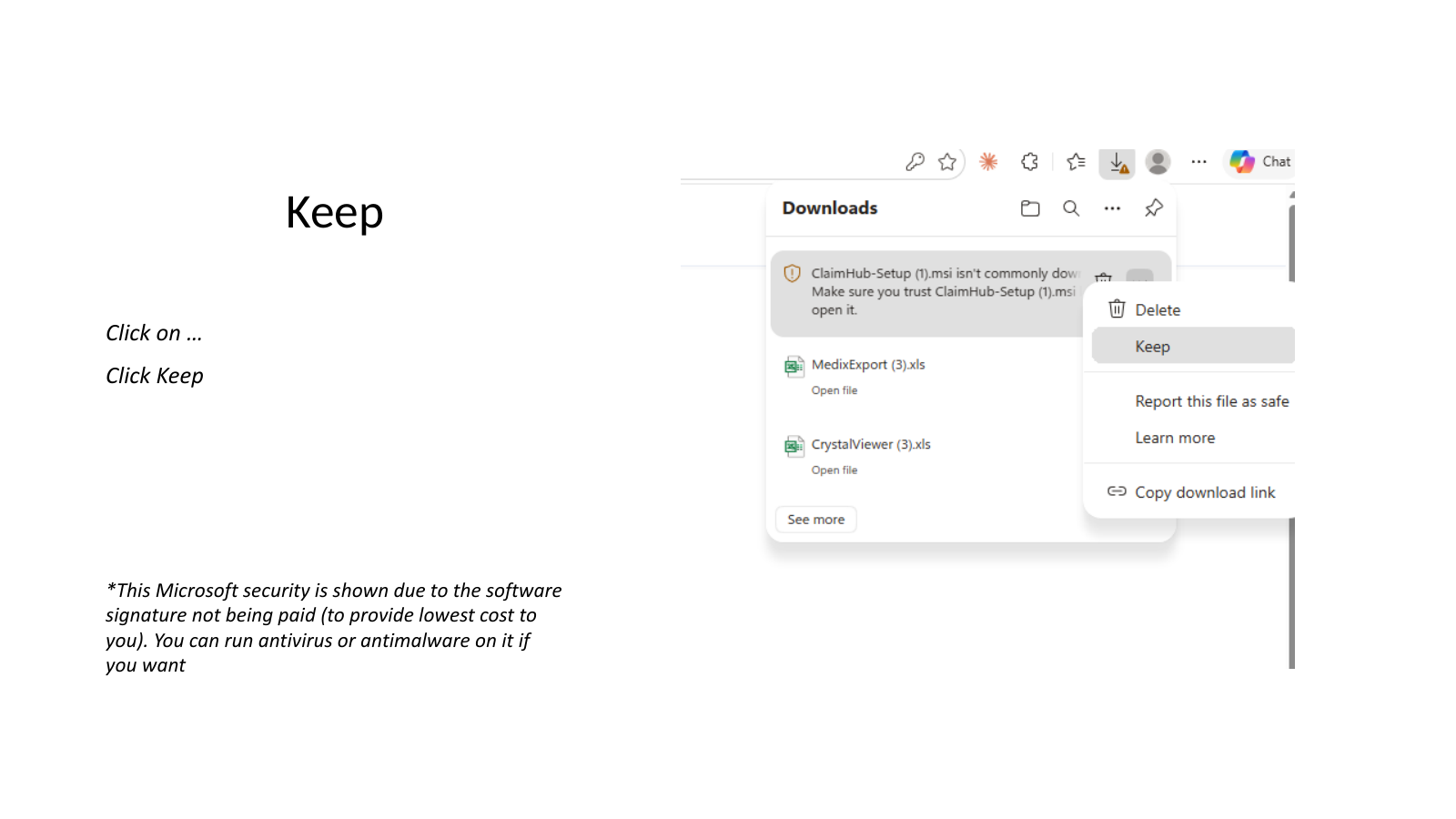
In Microsoft Edge or Chrome, the download may show a warning that says "ClaimHub-Setup.msi isn't commonly downloaded". Click the … menu next to the file and choose Keep.
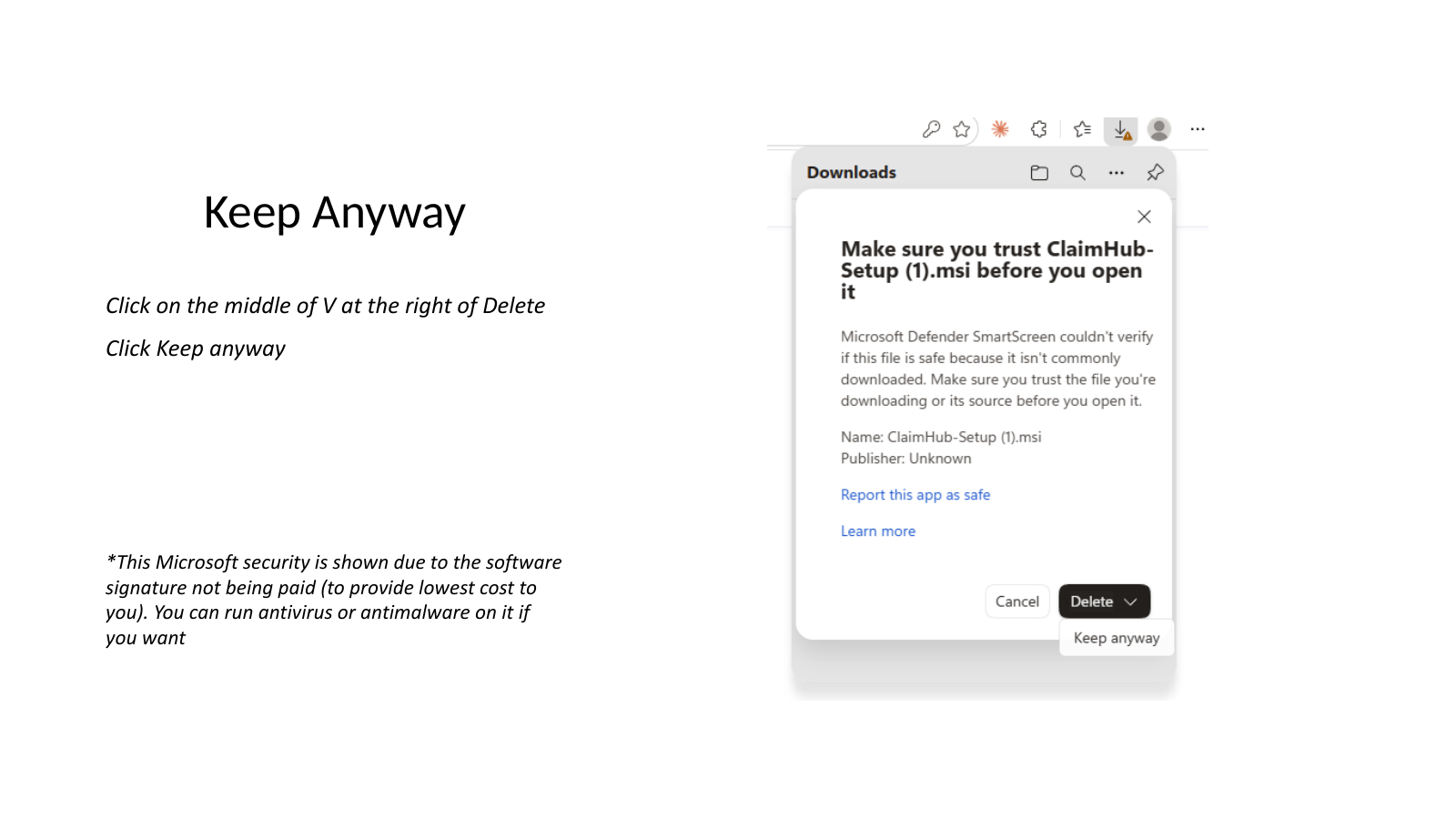
A second dialog appears titled "Make sure you trust ClaimHub-Setup.msi before you open it". Click the small ⌄ (down-arrow) next to Delete, then choose Keep anyway.
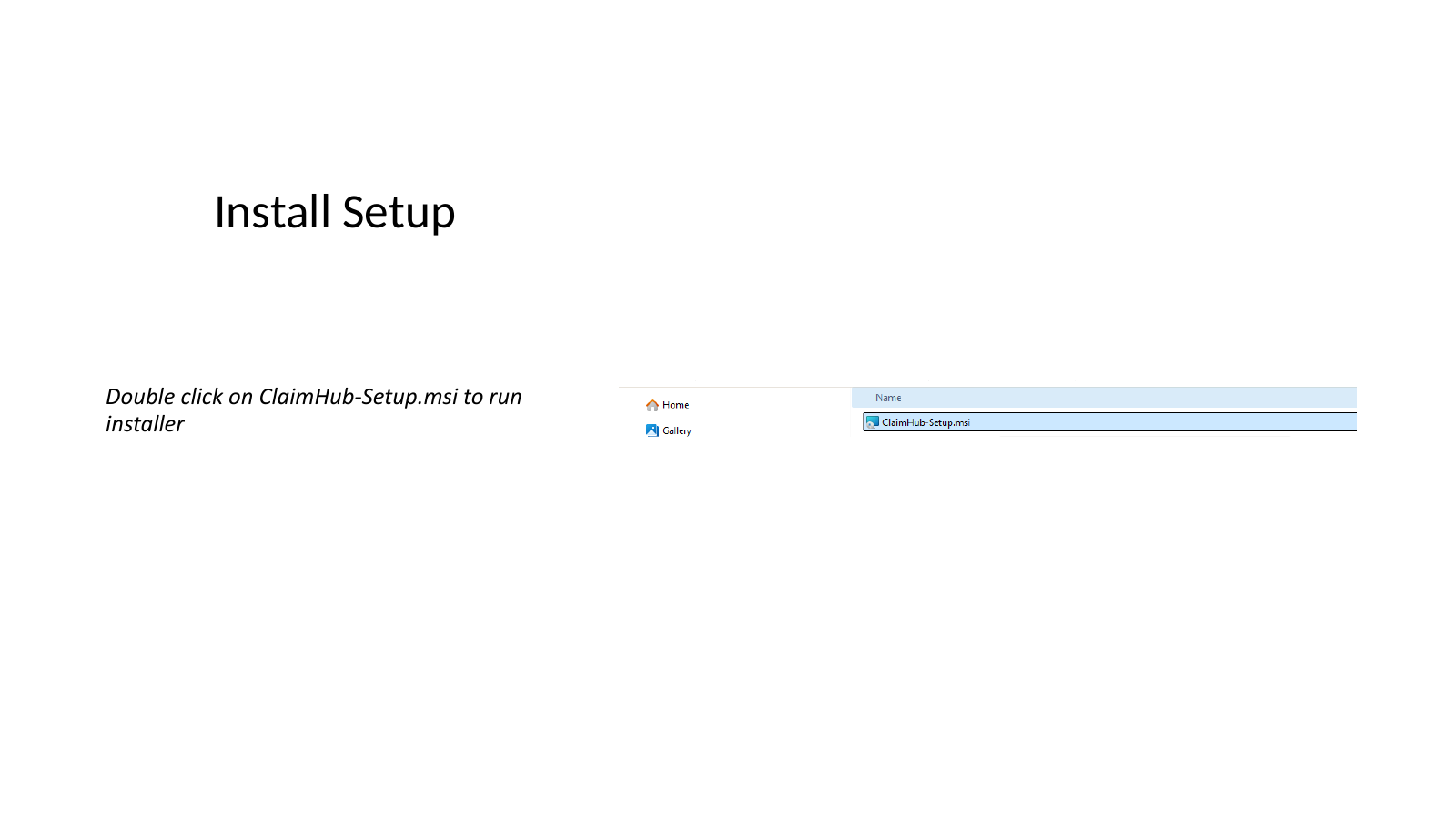
ClaimHub-Setup.msiOpen File Explorer → Home (or Downloads). Double-click ClaimHub-Setup.msi to launch the installer.
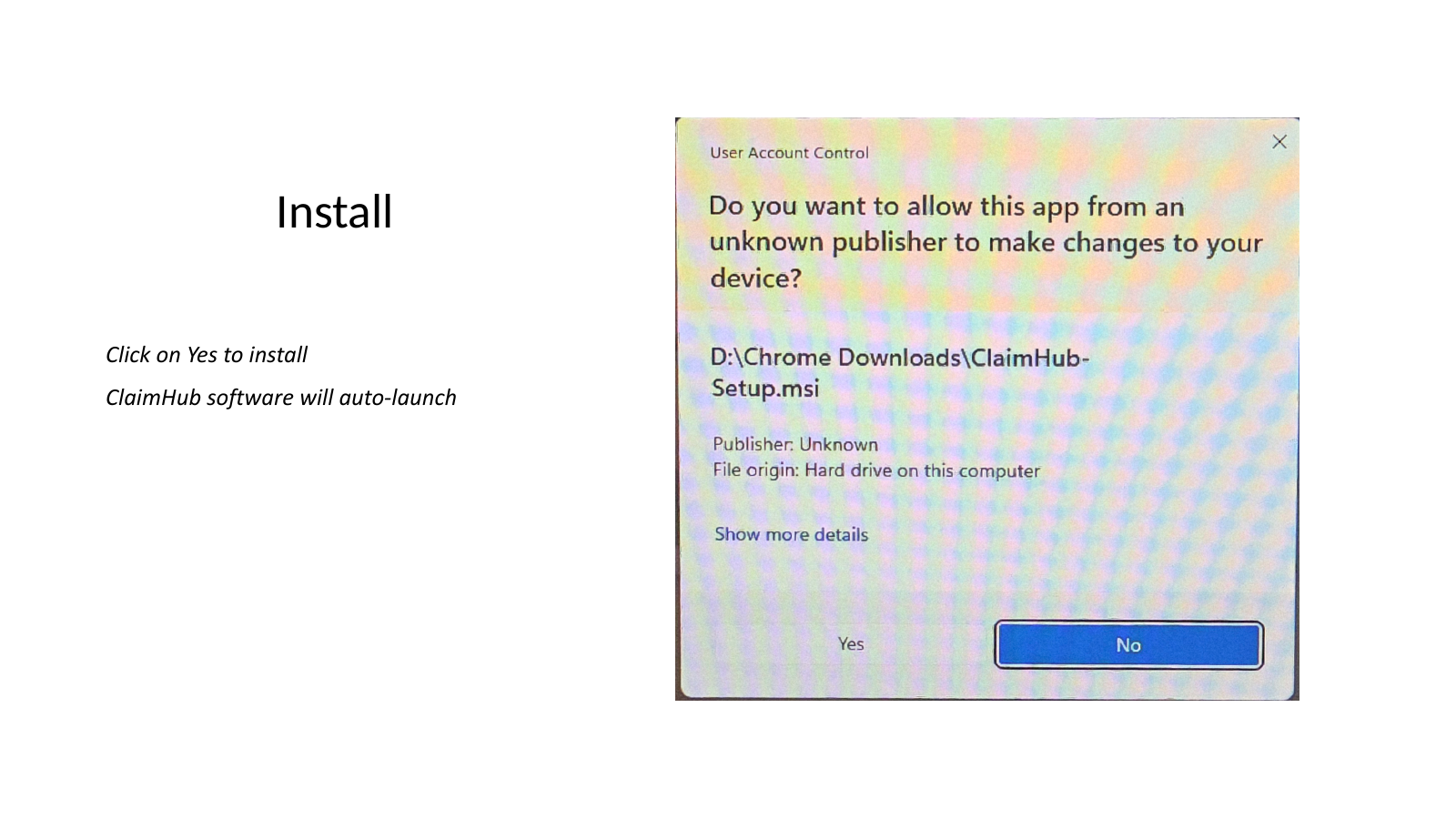
Windows User Account Control (UAC) pops up asking "Do you want to allow this app from an unknown publisher to make changes to your device?". Click Yes. ClaimHub will install and auto-launch when ready.
When ClaimHub opens for the first time, it asks for a license key. This key was sent to the email you registered with when you signed up on claimhub.cc.
- Check the email you registered with for a message from ClaimHub (also check Spam / Junk)
- Copy the license key (long string of letters and numbers)
- Paste it into the activation box in ClaimHub
- Click Activate
After activation, ClaimHub works fully offline. Your patient data never leaves your PC.
Now follow the Reconciliation Guide to upload your panel payment report and clinic AR file. It takes about 30 seconds per panel.